Features
Attendance and payment reports
Choose a date range to see who came in, how much was recorded in payments and which records to export.
How to download a CSV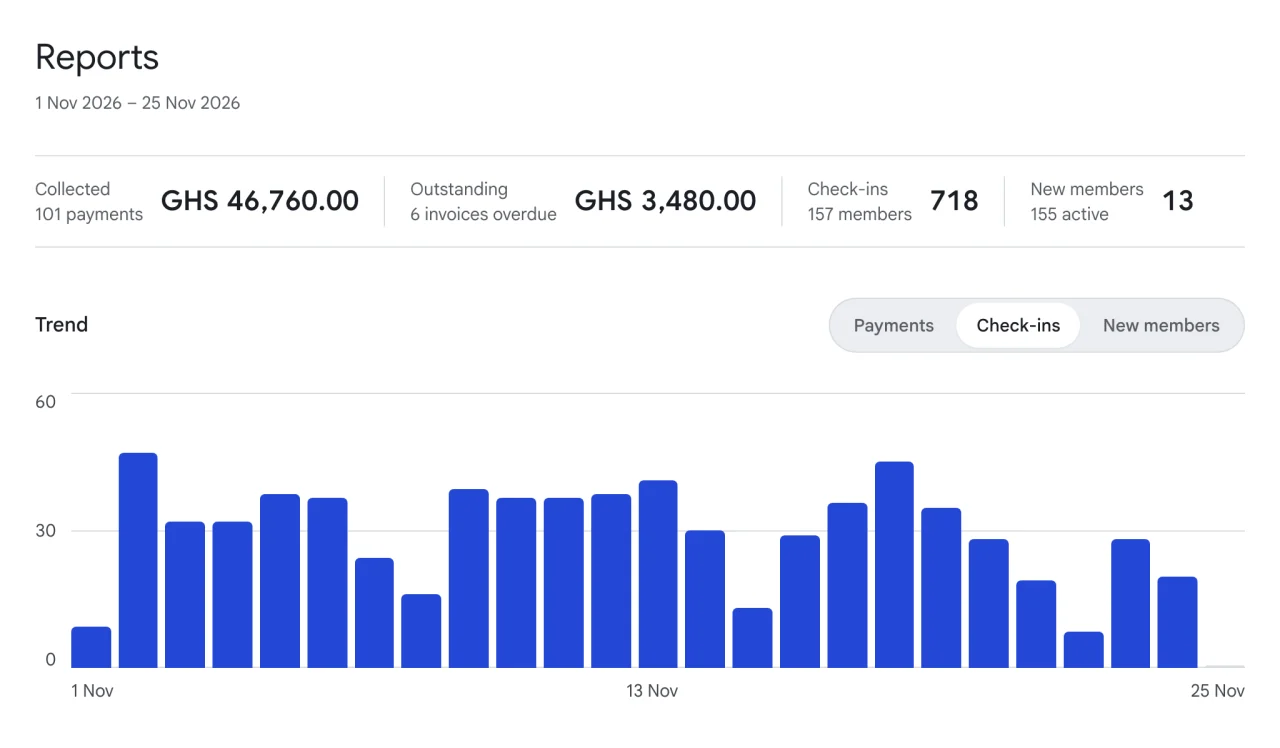
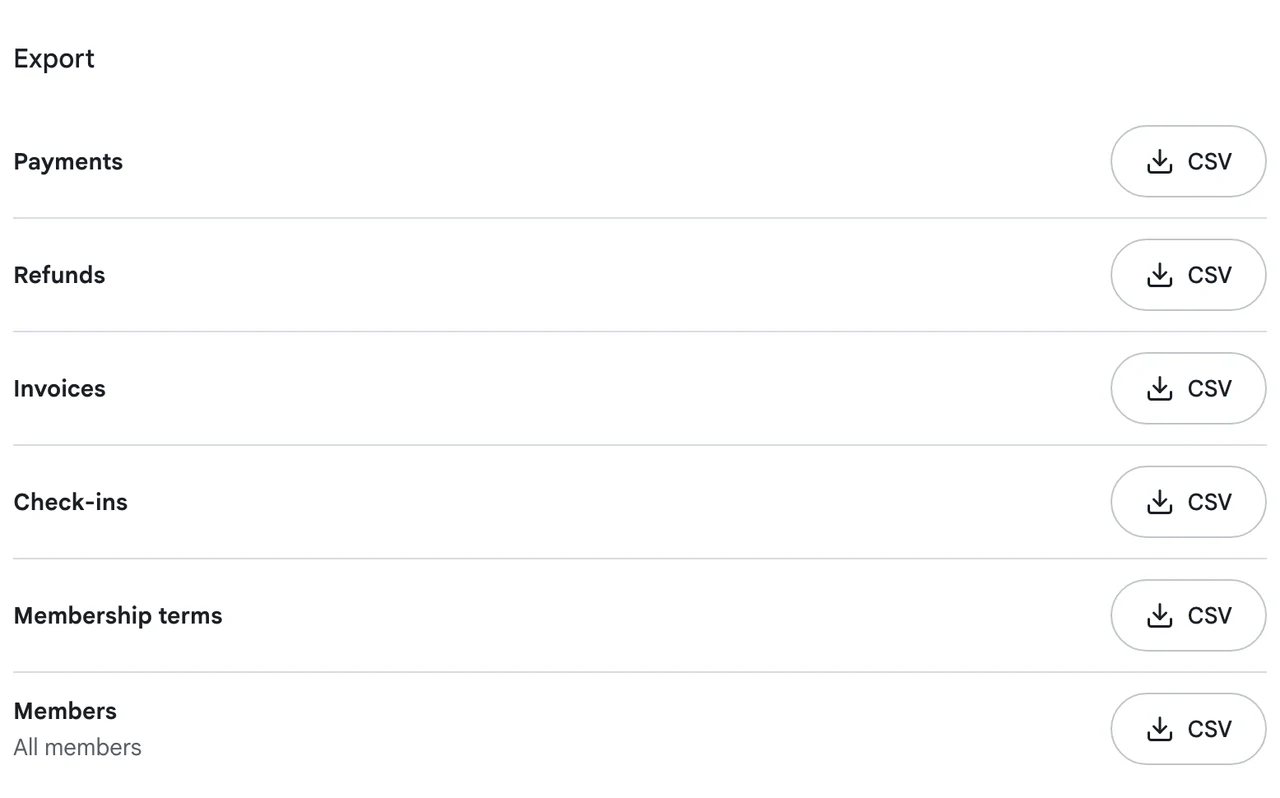
Take the records into a spreadsheet
Download the member, invoice, payment or check-in records available to your role as a CSV.
Review a period
Choose a date range in Reports to see check-in and payment trends. The totals follow your access to the gym.
Reports respect branch access
Owners and administrators can review their gym. Branch managers work within assigned locations.